Restaurant ERP · from the first order to the bottom line
Restaurant POS & Management Software for Multi-Location Restaurants
Restaurant ERP runs your whole operation in one system: the POS at the host stand and the bar, tablets in your servers' hands, the kitchen display on the line, recipes and inventory in the back of house, purchasing with your vendors, and a live dashboard for owners and operators.
It is cloud-based and works in a web browser, so you can run one location or fifty, anywhere in the world. Currency, time zone, sales tax or VAT, payment methods, units of measure and menus are all configured for your business.
Owner dashboard · light mode
Live sales, profit and food cost for every location.
See every location live from your phone, tablet or laptop: sales, checks, covers and average check, cost of sales and gross profit from real recipe costs, sales by hour, top dishes and payment mix.

Screenshots show a demo setup for a restaurant group with three locations.
Owner dashboard · dark mode
Owner dashboard and remote approvals.
- Remote approvals: a cashier requests approval for a large discount or a void, and the owner approves from anywhere, or a manager enters a PIN on the spot.
- Alerts for what matters: low stock, voids and big discounts.
- Every screen comes in light and dark mode.

Latest highlights · what sets it apart
Built lean. Not another overloaded ERP.
Many restaurant systems are a POS bolted onto generic accounting software, with separate apps for the kitchen and the back office. Restaurant ERP was built around how a restaurant actually runs, so the features that matter most work out of the box.
Approvals from your phone
A cashier asks to void a check or give a large discount; the owner approves from anywhere in real time, or a manager enters a PIN on the spot.
Stock that keeps itself
Every paid check deducts its recipe ingredients, including sizes, combos and modifiers. A void puts them back. No end-of-day stock entry.
Live plate cost
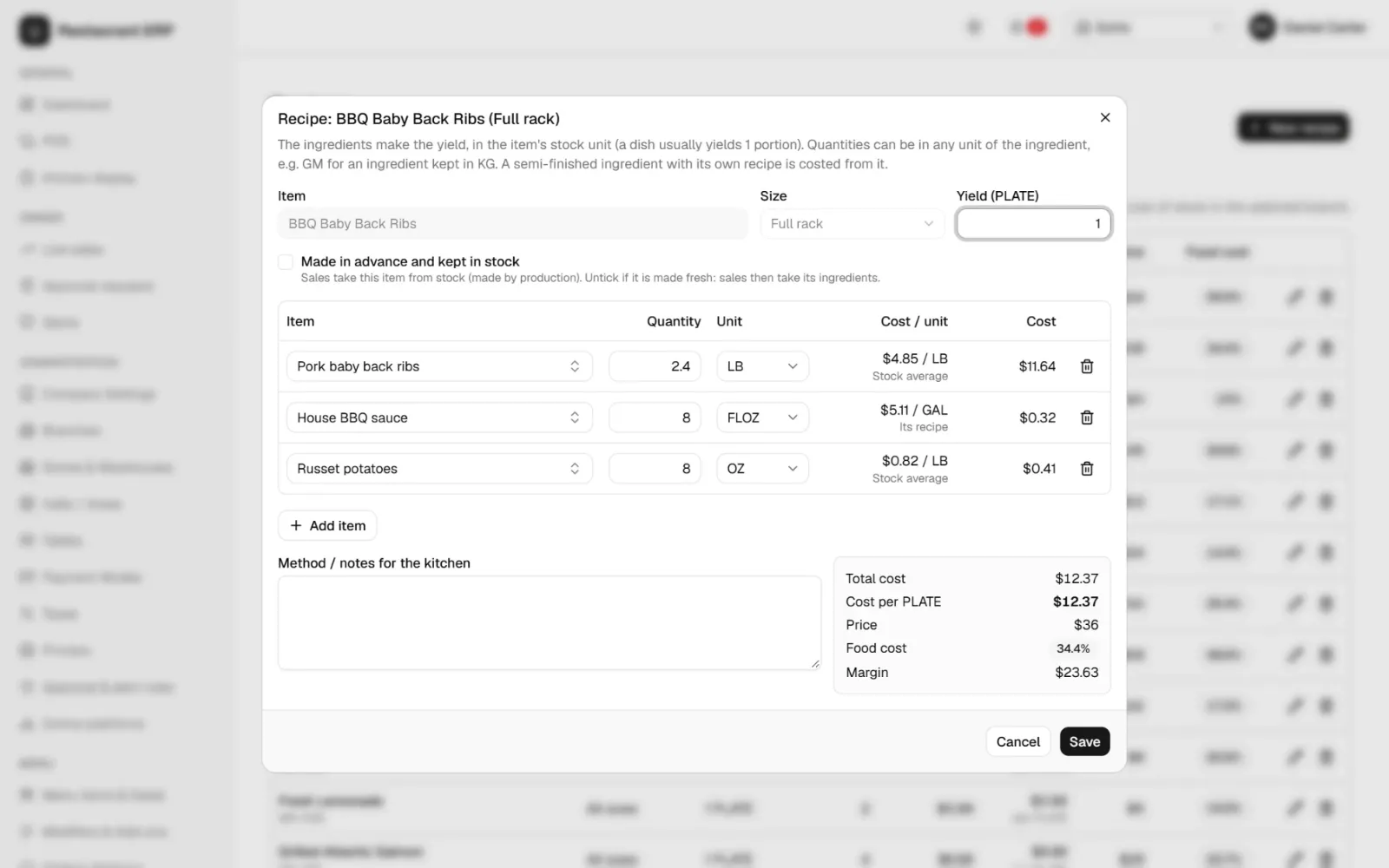
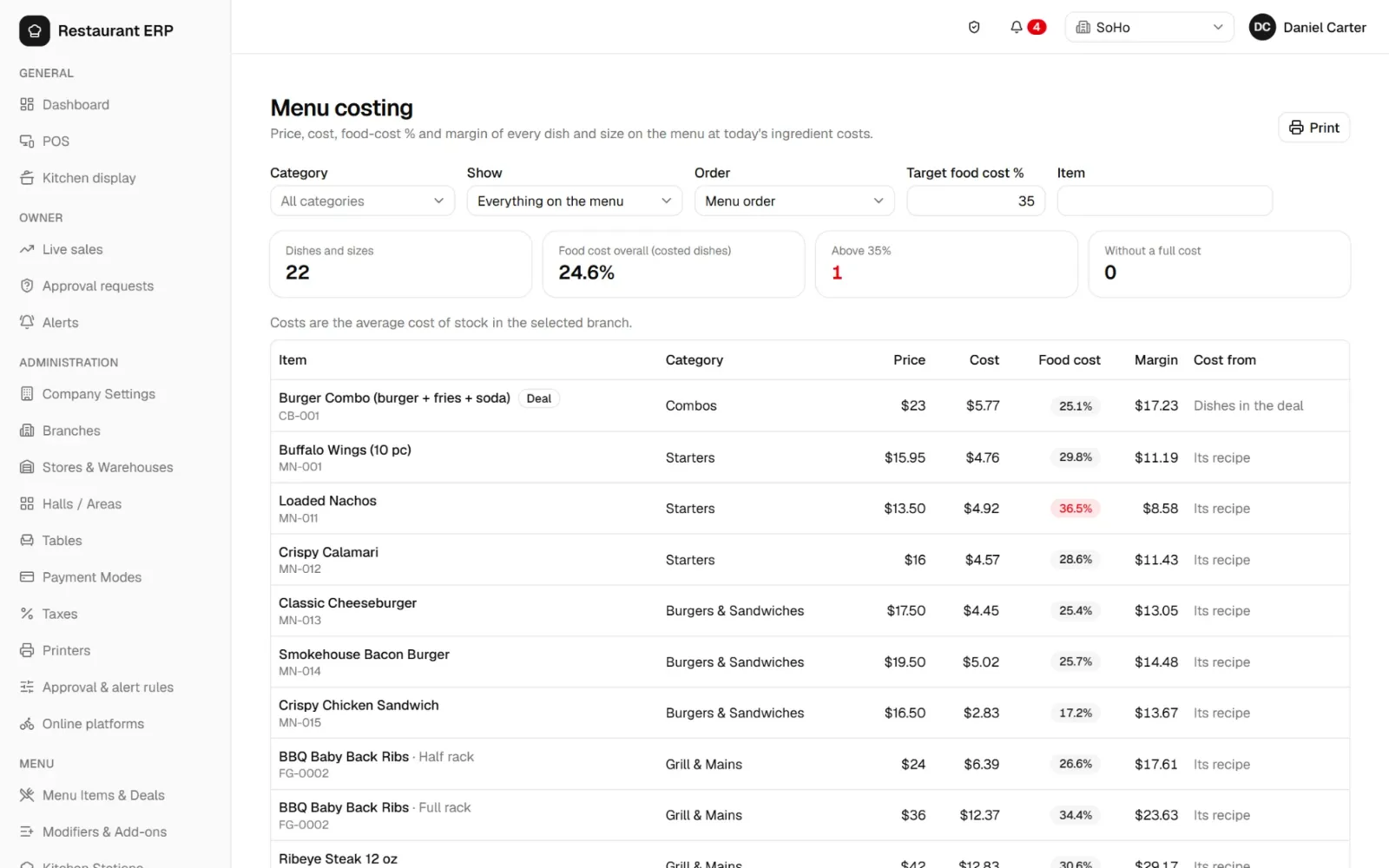
Food cost follows the weighted-average price you actually paid. Sauces and prep items made in-house are costed from their own recipes.
Smart tax rules
Sales tax or VAT by location and even by payment method, inclusive or exclusive, with rate changes that start on a set date.
Statement matching
Import card processor, wallet or bank statements and let the system match them to checks. You only review the differences.
Closes like a restaurant
End of day runs past midnight, cashiers do a blind cash count, and the Z-report shows tips by server and expected cash.
First expiring, first out
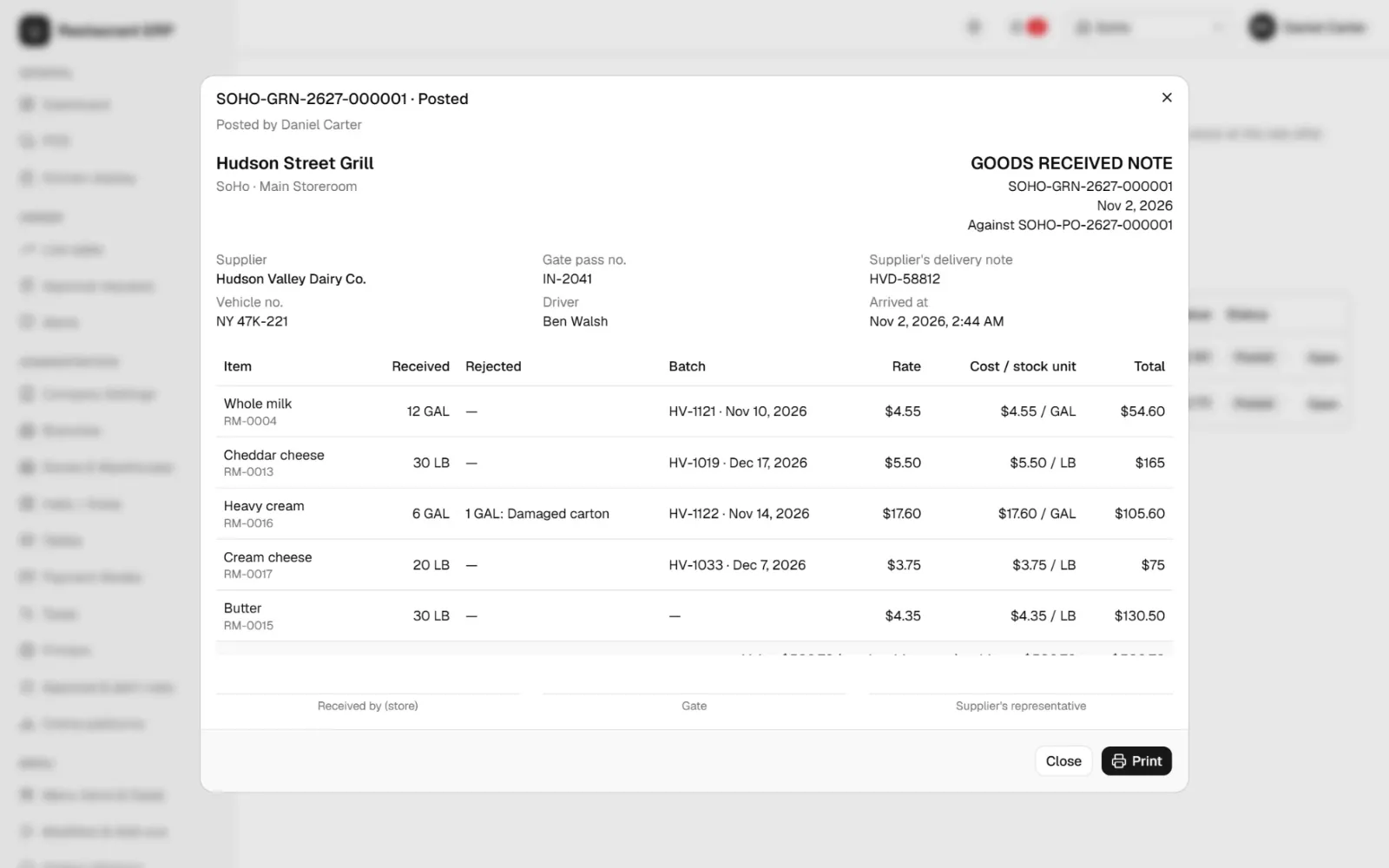
Lots and expiry dates are captured at receiving, and stock going out takes the earliest expiry first unless a batch is chosen.
Nothing disappears
Documents are voided, never deleted. Every change records who, when and from which registered device.
Point of sale
Fast, touch-friendly restaurant POS
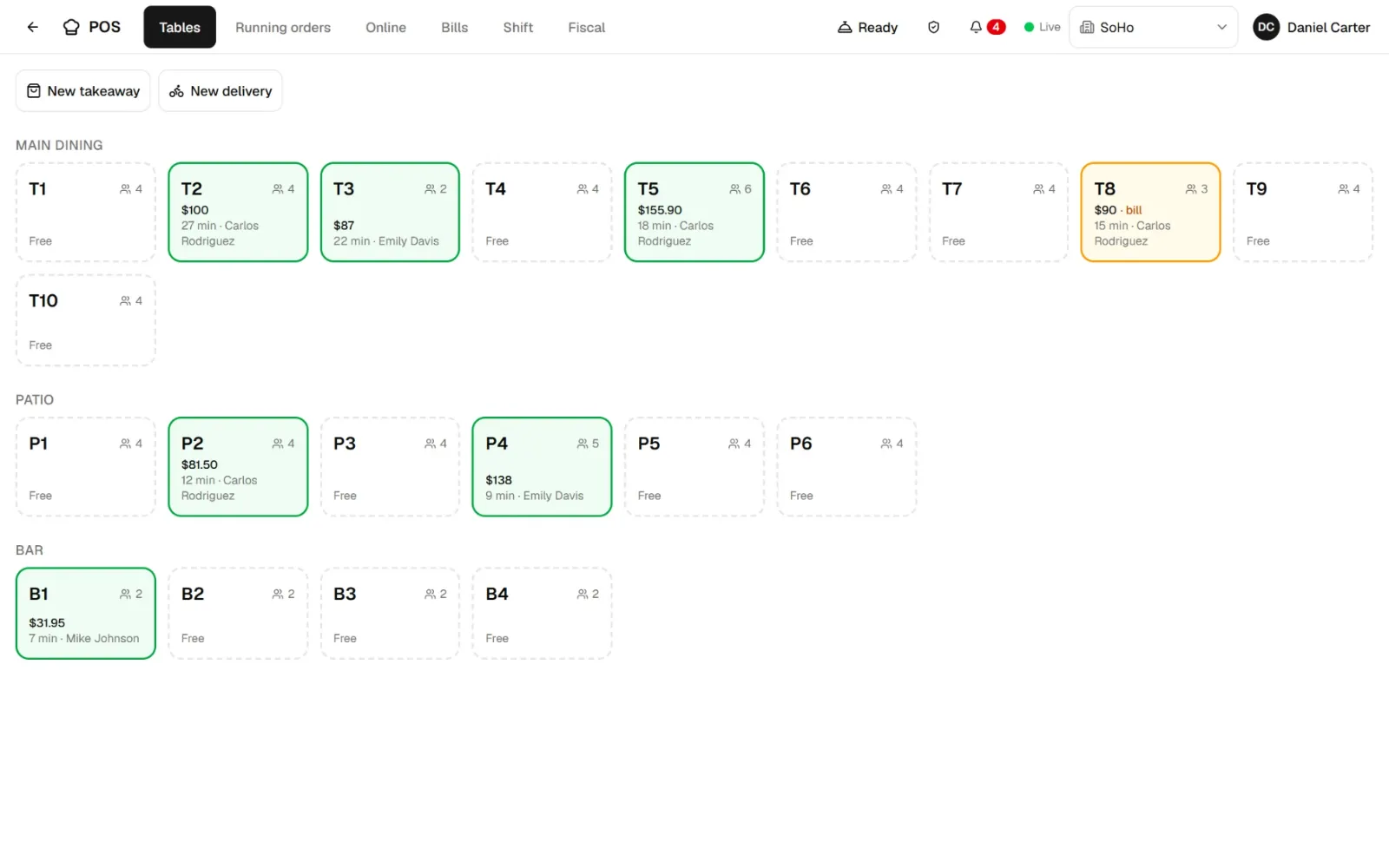
A point of sale built for a busy Friday night: large touch targets, a live floor plan by section, and the whole check on one screen.
- Dine-in, takeout and delivery orders with covers, server, guest and driver
- Floor plan by section (main dining, patio, bar): each table shows its check total, time seated and server
- Sizes, modifiers and combos: half or full rack, cook temperature, sauces, add-ons
- Kitchen tickets fired automatically to the right station: grill, fryer, cold line, bar
- Transfer, merge and hand off tables; hold orders; void items with a reason
- Runs on any touch screen, PC or tablet in a web browser
Checks, payments and tips
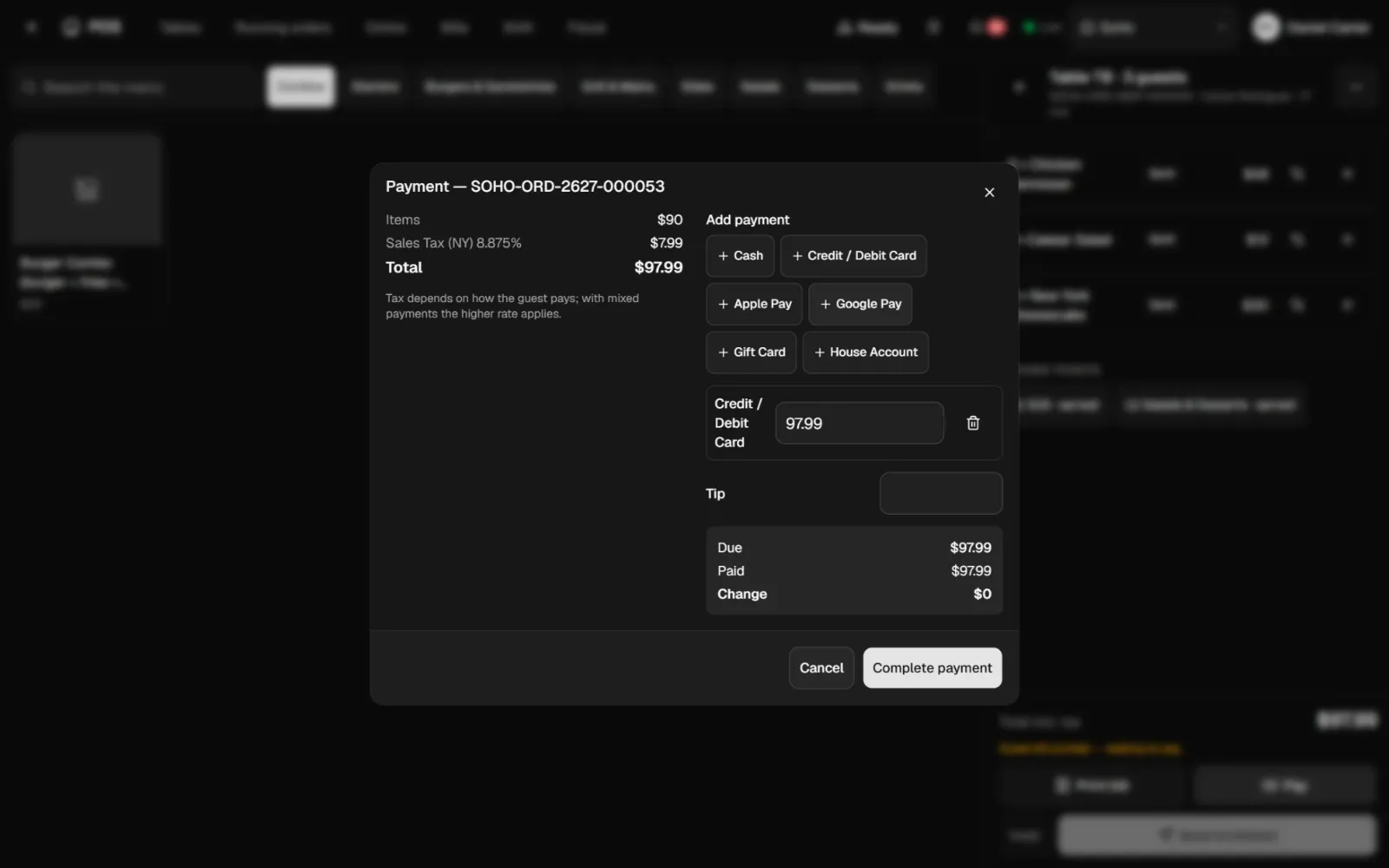
- Split payments across cash, credit and debit cards, Apple Pay, Google Pay, gift cards and house accounts. You choose the payment methods.
- Sales tax or VAT calculated automatically, with rates by location and payment method, tax-inclusive or tax-exclusive prices
- Discounts with reasons and limits, service charges, and tips tracked per server
- Quick-cash buttons, change due, and printed or reprinted receipts
- Voids need a reason and the right permission, and every action is audited
Cash management
Shifts, cash drawer and end-of-day reports
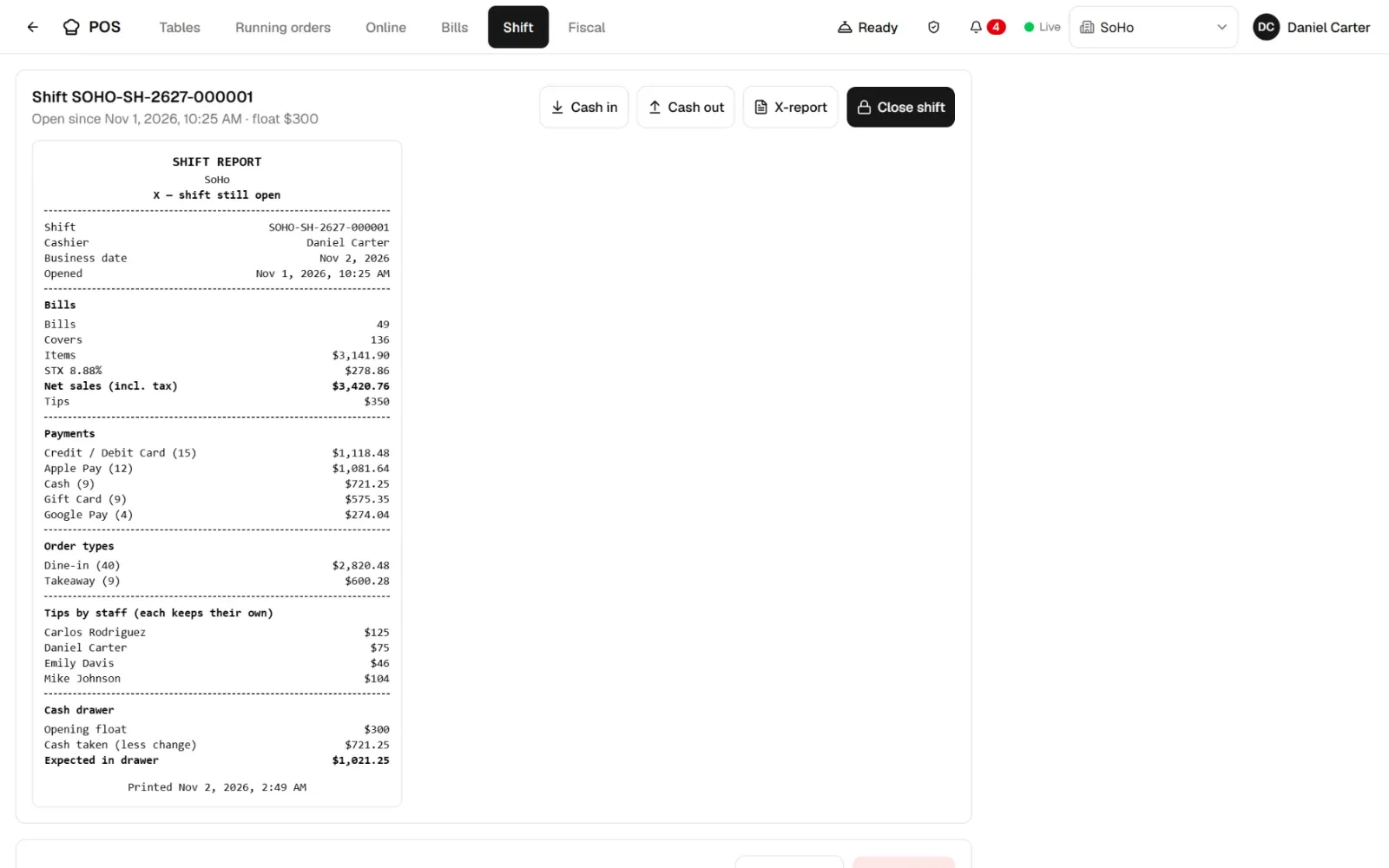
- Cashier shifts with opening bank, paid-ins and paid-outs, and a blind cash count
- X-report any time and Z-report at close: sales, taxes, payment methods, order types, tips by server and expected cash
- End of day that runs past midnight, the way restaurants actually close
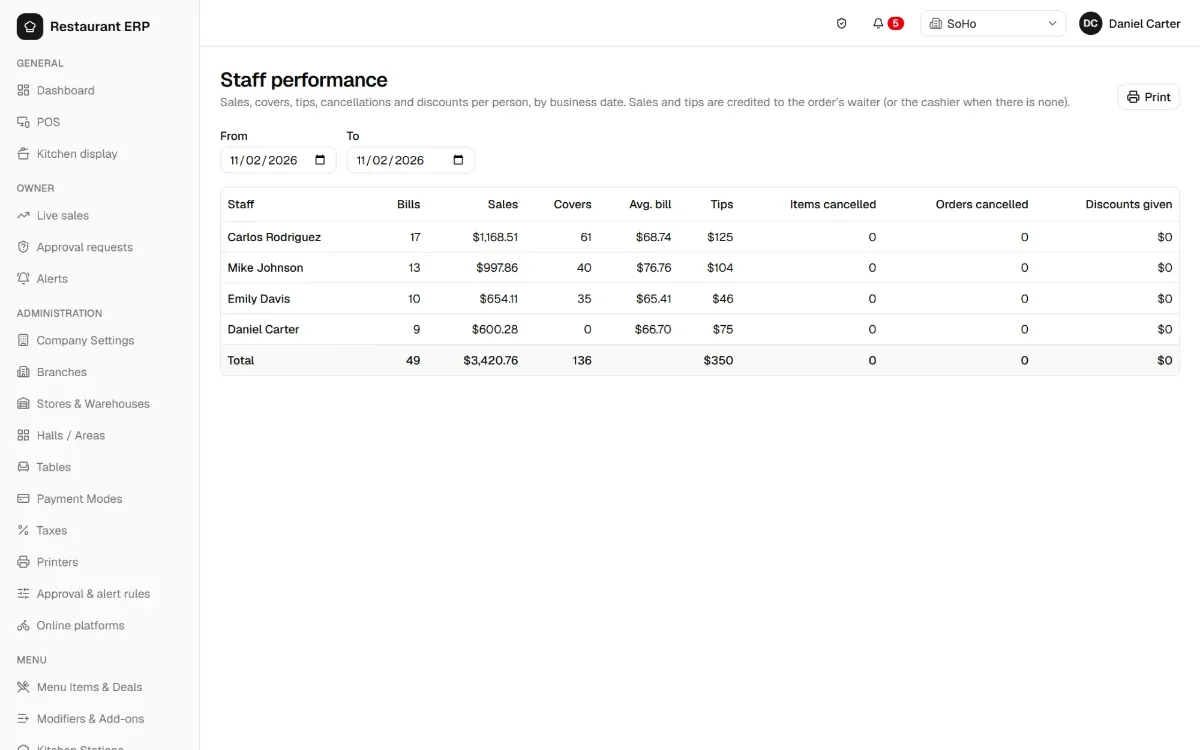
- Tip pooling or individual tips, and a server performance report
Back of house
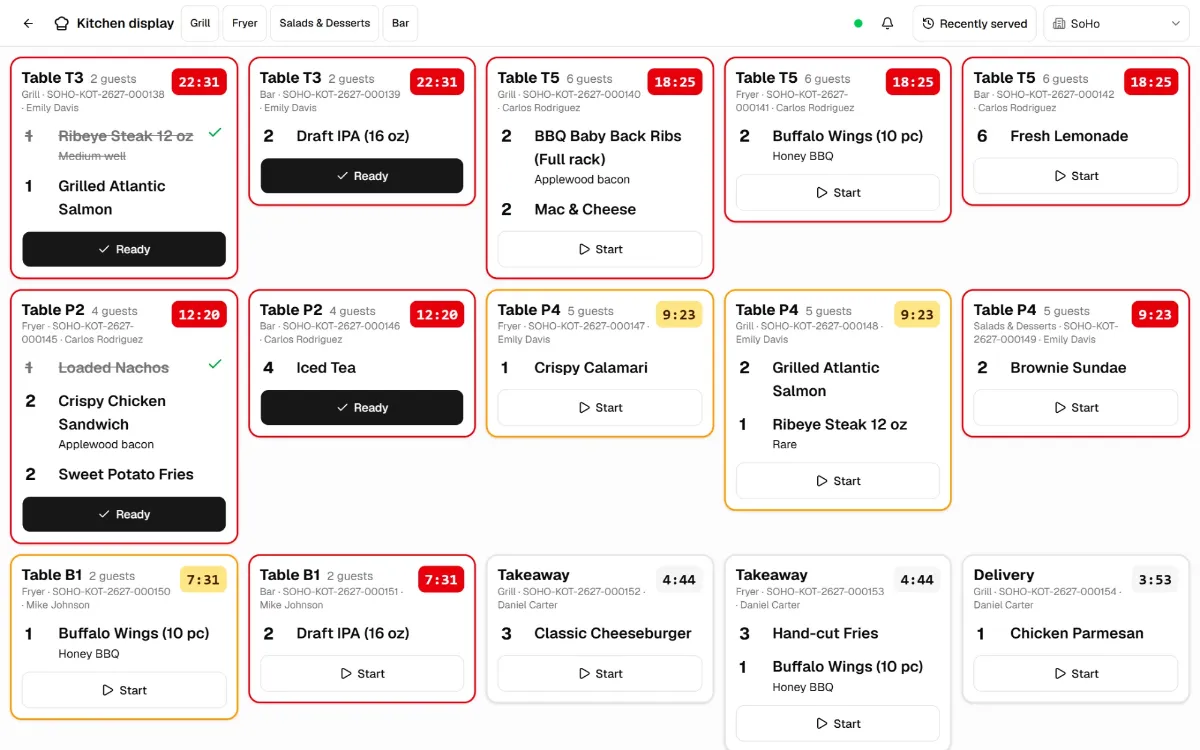
Kitchen display system (KDS)
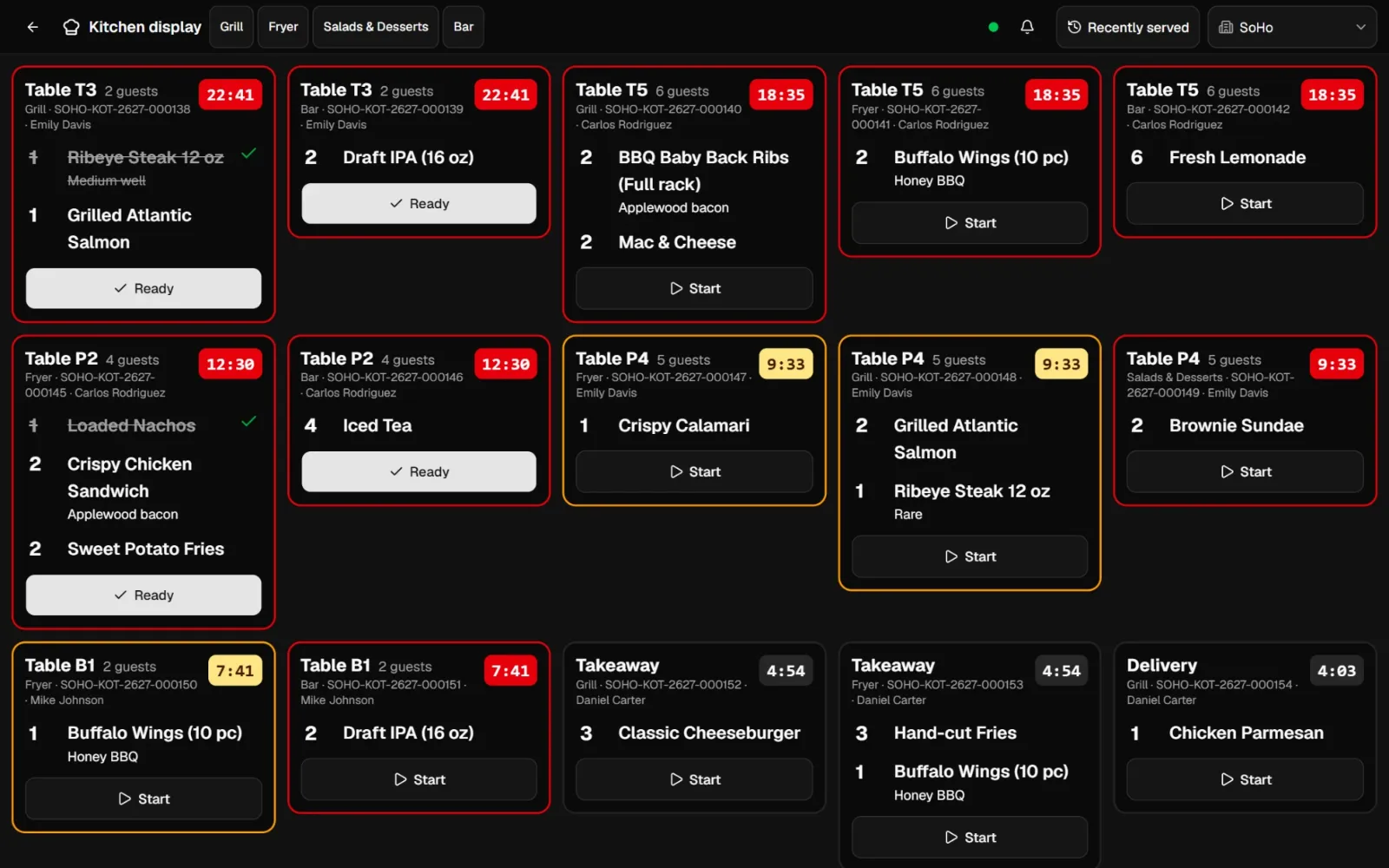
Replace paper tickets with a kitchen display screen for each station.
- Tickets arrive the moment the server fires the order, with modifiers and notes
- Color-coded timers show what is running late against each station's target time
- Cooks tap Start and Ready, and the server's POS and tablet are notified instantly
- A ticket-time report shows how fast each station and dish really is
Tableside ordering app for servers
An Android tablet app: take the order at the table, fire it to the kitchen, see when food is ready and request the check, all in real time. Tablets are registered devices, servers can be assigned to sections, and tables are handed off at shift change.
Food cost control
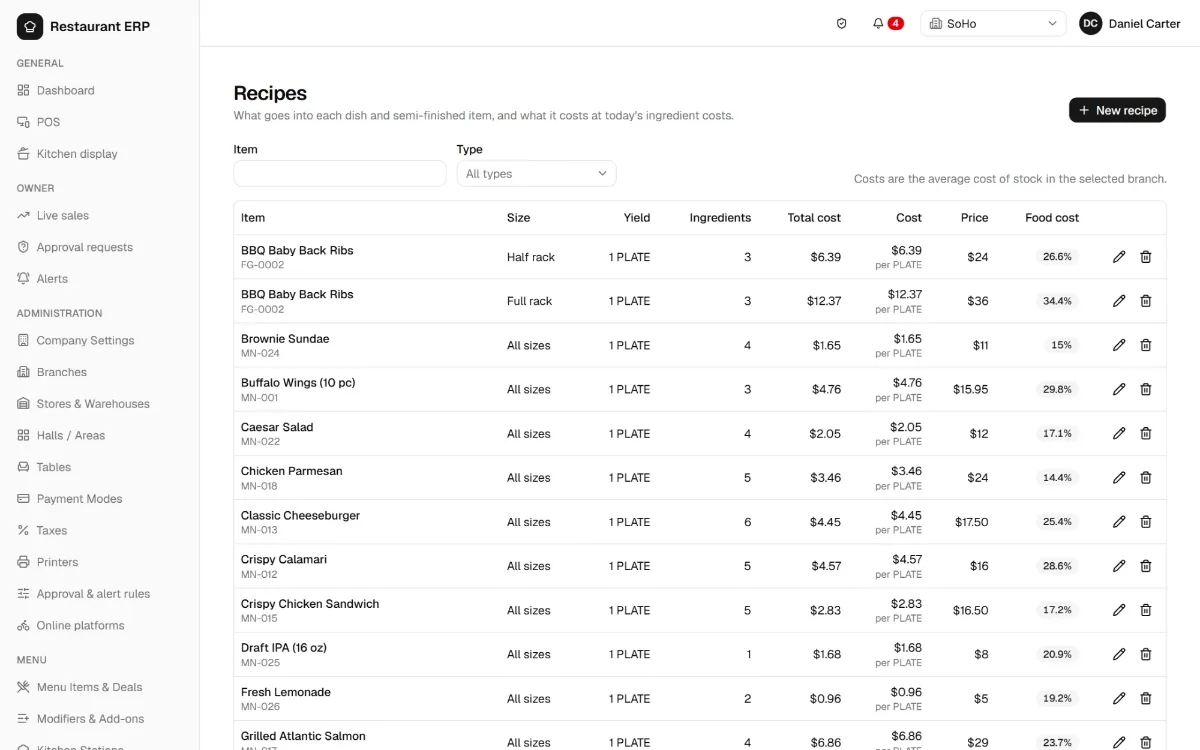
Recipe costing and food cost control
Know what every plate costs. Build recipes per dish and size, with sub-recipes for sauces, dressings and prep items, in ounces, pounds, gallons, grams or any unit you define. Each recipe is costed from what you actually paid, at your weighted-average purchase price.
Inventory
Restaurant inventory management
- Multiple storerooms per location (dry storage, walk-in, bar) at weighted-average cost
- Automatic depletion: every paid check deducts its recipe ingredients, including sizes, combos and modifiers; a void puts them back
- Adjustments, waste logs, transfers between storerooms and locations, internal requisitions
- Inventory counts with on-hand vs counted quantities and posted variances
- Lot and expiry tracking with first-expiring-first-out issue
- Par levels with low-stock alerts, and a full stock ledger for every item
- Prep and commissary production: sauces, dough and prepped items made from recipes, at cost


Purchasing
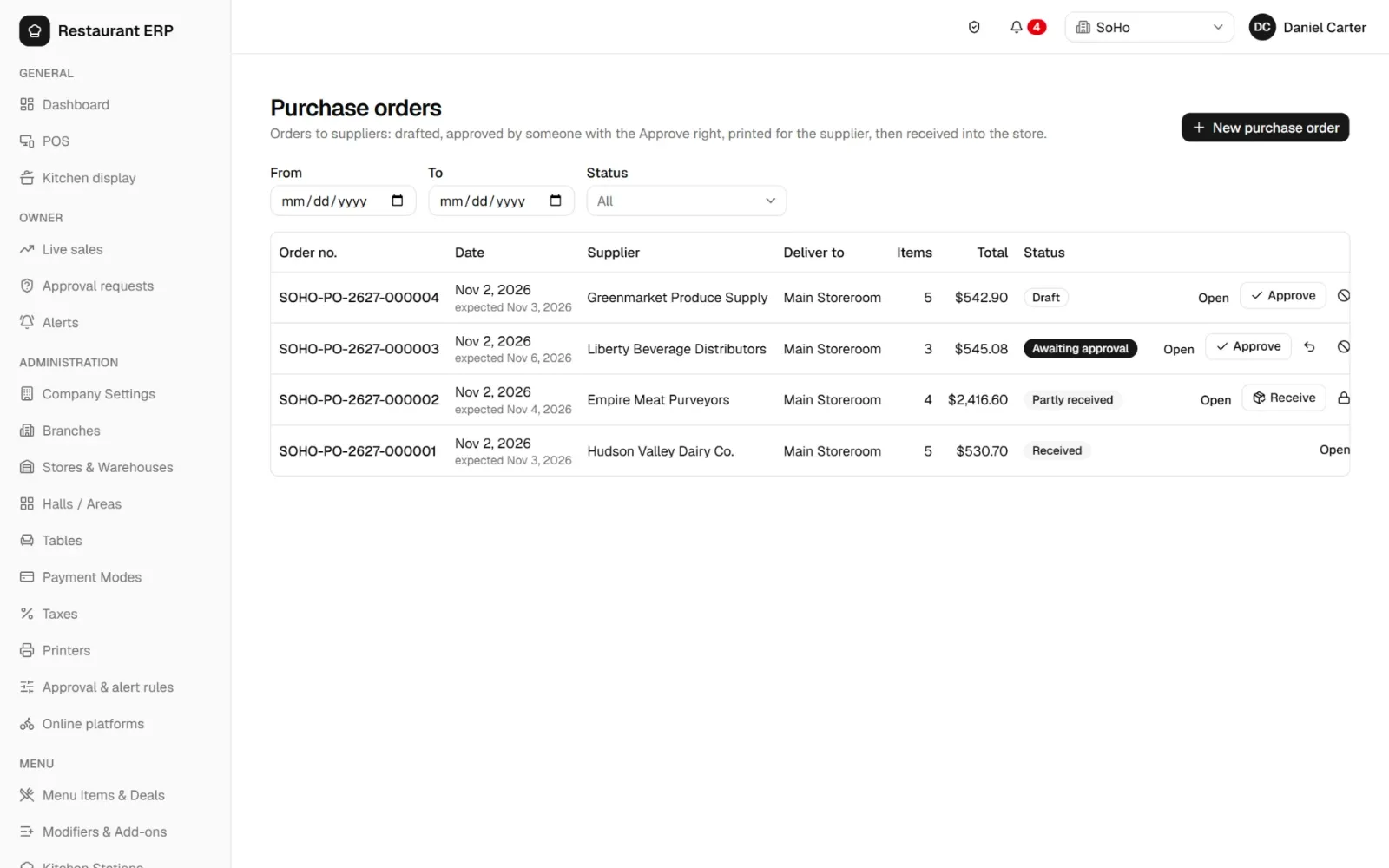
Purchasing and vendor management
- Purchase orders with approval, printable for the vendor
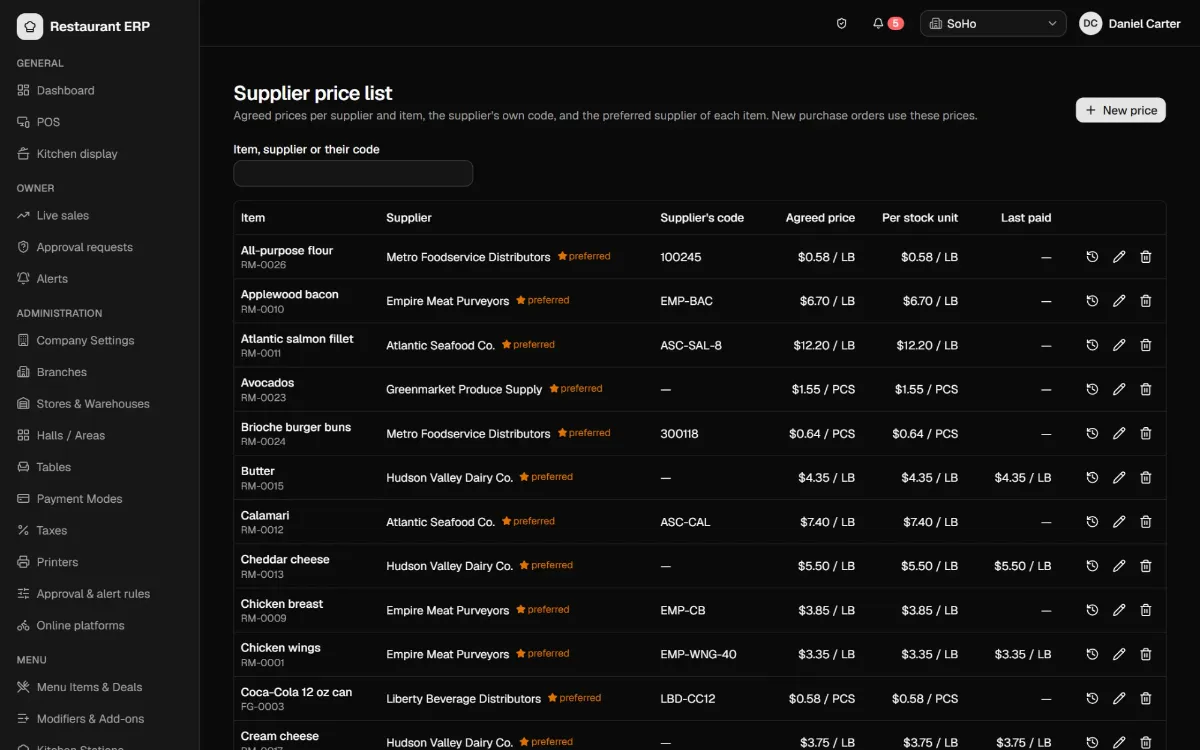
- Vendor price list with agreed prices, vendor item codes and preferred vendors
- Receiving with delivery details, partial and rejected deliveries, lots and expiry dates
- Vendor invoices matched to receipts, with price variance, tax, freight and payment terms (Net 7, Net 30)
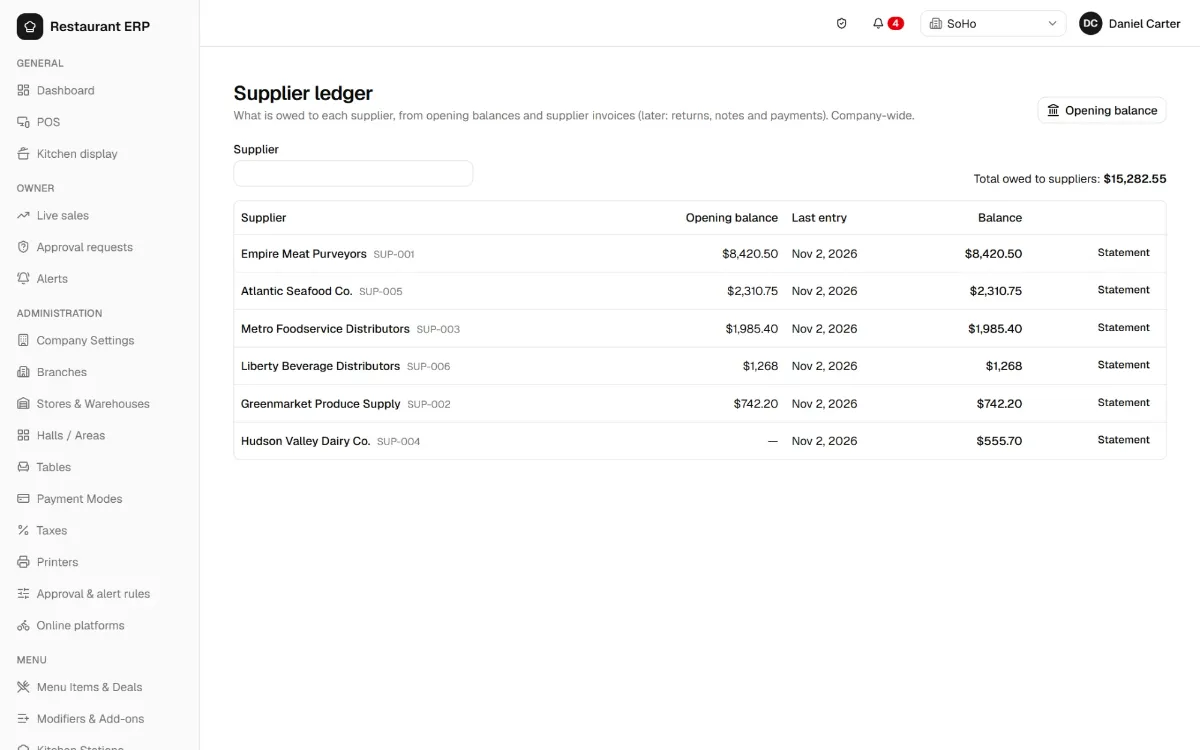
- Vendor ledger with opening balances and printable statements
Multi-location, secure and audited.
Delivery platforms
Third-party delivery orders on the same POS: accept or reject, fire to the kitchen, mark picked up. Each order is billed to the platform with its commission, and items can be 86'd.
Payment reconciliation
Import card processor, wallet or bank statements and match them to your checks automatically, so you only review the differences.
Multi-company, multi-location
One login with a location switcher and a head-office view. Different time zones and tax rules per location, one currency per company.
Permissions and audit trail
Rights per screen and action (view, add, edit, delete, approve) by role. Who changed what, when and from which device, plus login history. Documents are voided, never deleted.
Real-time sync
POS, tablets, kitchen screens and the owner dashboard stay in step the moment anything changes.
Receipt and kitchen printing
Thermal printing (ESC/POS) through a small Windows print agent, with cash-drawer kick.
Inside Restaurant ERP
More screens.
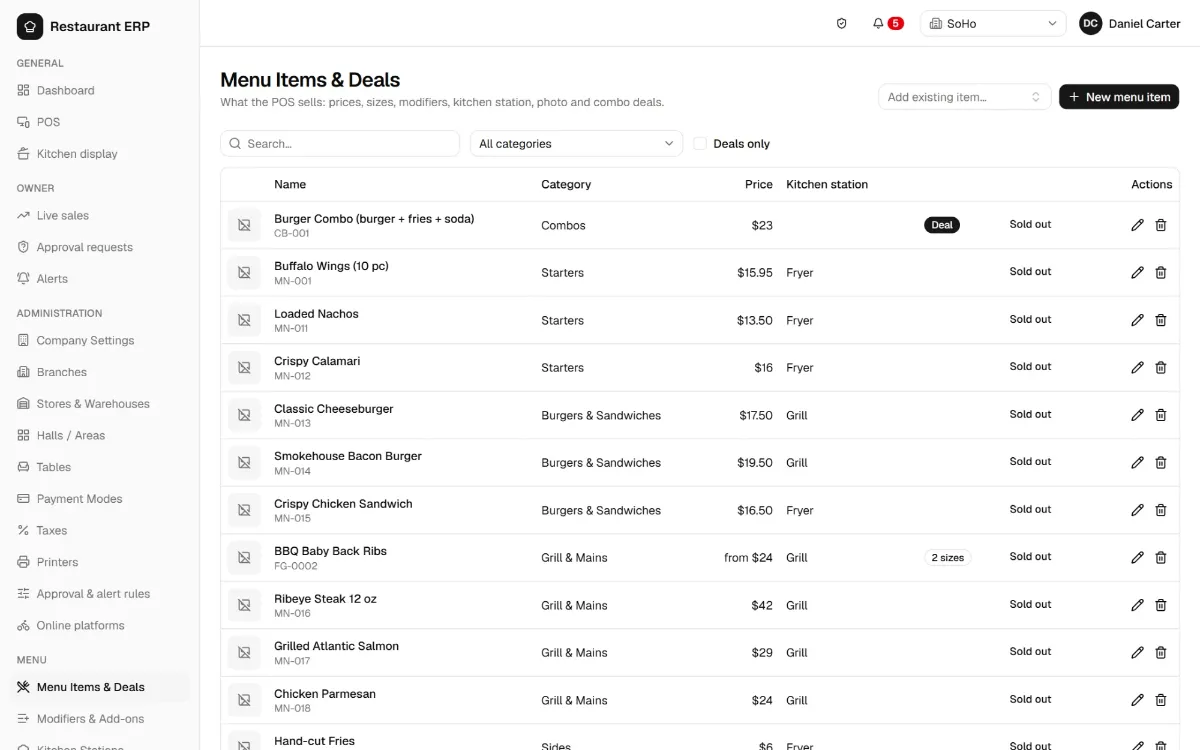
Menu management, recipes, vendors and staff reports, in light and dark mode.
Global by design
Works in any country
Restaurant ERP is not built for one market. Each business sets its own currency, taxes and units. The interface is in English.
| Setting | Examples |
|---|---|
| Currency | USD, GBP, EUR, AED, SAR and more |
| Time zone | Per company and per location |
| Taxes | Sales tax, VAT or GST; inclusive or exclusive; rates by location and payment method; dated rate changes |
| Payment methods | Cash, cards, mobile wallets, gift cards, bank transfer, house accounts |
| Units of measure | Pounds, ounces, gallons, kilograms, grams, litres, cases, dozens, or your own |
| Menus and kitchens | Your categories, stations, modifiers and combos |
| Fiscal / e-invoicing | Built-in tax authority connectors; others on request |
Coming next
FAQ
Restaurant POS questions.
Can Restaurant ERP be used outside the United States?
Yes. It is not specific to any country. Currency, time zone, taxes, payment methods and units are configured for each business, and each location can have its own time zone and tax rules. The screenshots show a demo setup for a US client.
Does it work for multiple locations?
Yes. One company can have many locations, each with its own storerooms, sections, tables, printers and tax settings, while owners see every location together on the live dashboard.
Can servers take orders tableside?
Yes. The tableside app runs on Android tablets. Orders go straight to the kitchen display and printers, and the server is notified when food is ready.
How does recipe costing calculate food cost?
Each dish has a recipe of ingredients in any unit (ounces, pounds, grams). Ingredient costs come from your weighted-average purchase price, so plate cost, food cost % and margin update as prices change. Every sale also deducts those ingredients from inventory automatically.
Which payment methods are supported?
Any you set up: cash, credit and debit cards, Apple Pay, Google Pay, gift cards, bank transfer and house accounts, with split checks and tips.
Does it handle sales tax and VAT?
Yes. Taxes can be added on top of prices or included in them, with different rates per location, per payment method and from a given date.
Do I need to install software?
No. The POS, kitchen display and back office run in a web browser. Only a small print agent is installed on the PC connected to the thermal printers, and the tableside app on Android tablets.
Can I see sales and profit from my phone?
Yes. The owner dashboard shows live sales, gross profit and food cost for every location, and lets you approve discounts or voids remotely.
See it with your own menu.
Book a free demo of our restaurant POS. We set up your menu, locations, taxes and printers with you.